

First time in Thailand! Viztrick AiDi-an AI system co-developed with Nippon TV, a leading media giant from Japan.
An AI-powered, tablet-operated system that visualizes player movements, distances, speeds, profiles, and scores instantly-plus delivers real-time 9:16 autocropping-making live coverage smoother and more engaging.
Highlight
No Internet Required AI Technology
An innovative new system that automates and simpli es broadcast operations in real time using just a single PC.
Easy of Use & Expressive Power
Refined through practical production experience, offering intuitive usability and rich expression usingbroadcast-quality graphic technology.
Learning from Vast Video & Audio Data
High-precision processing achieved through the analysis of broadcast archives.
Real-Time 9:16 Autocropping for Immediate Streaming to Mobile Devices
The GoVertical! AiDi feature of viztrick AiDi delivers real-time, AI-aided 9:16 autocropping for immediate live streaming to mobile platforms. It is ideal not only for live sports, but also for events such as red-carpet premieres, scripted and unscripted shows, movie trailers, conferences, and news—anywhere 9:16 streaming is in demand.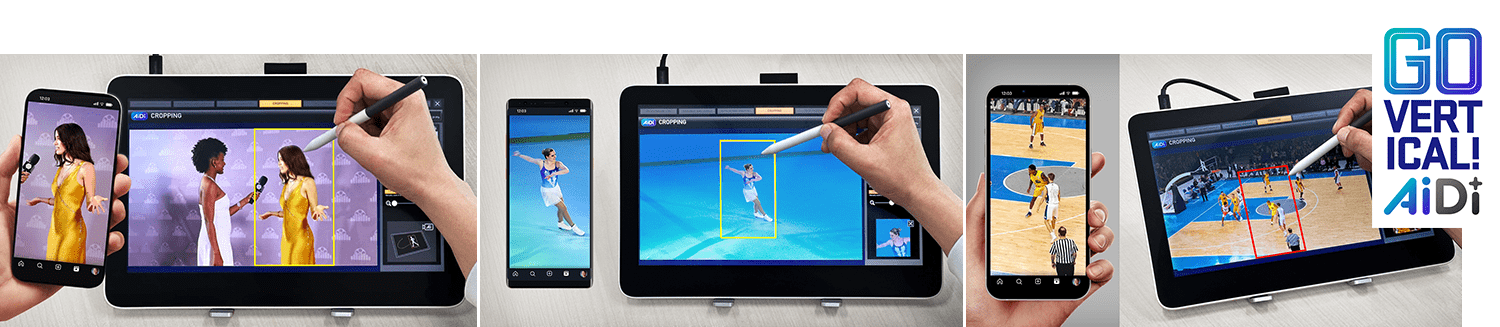
System Overview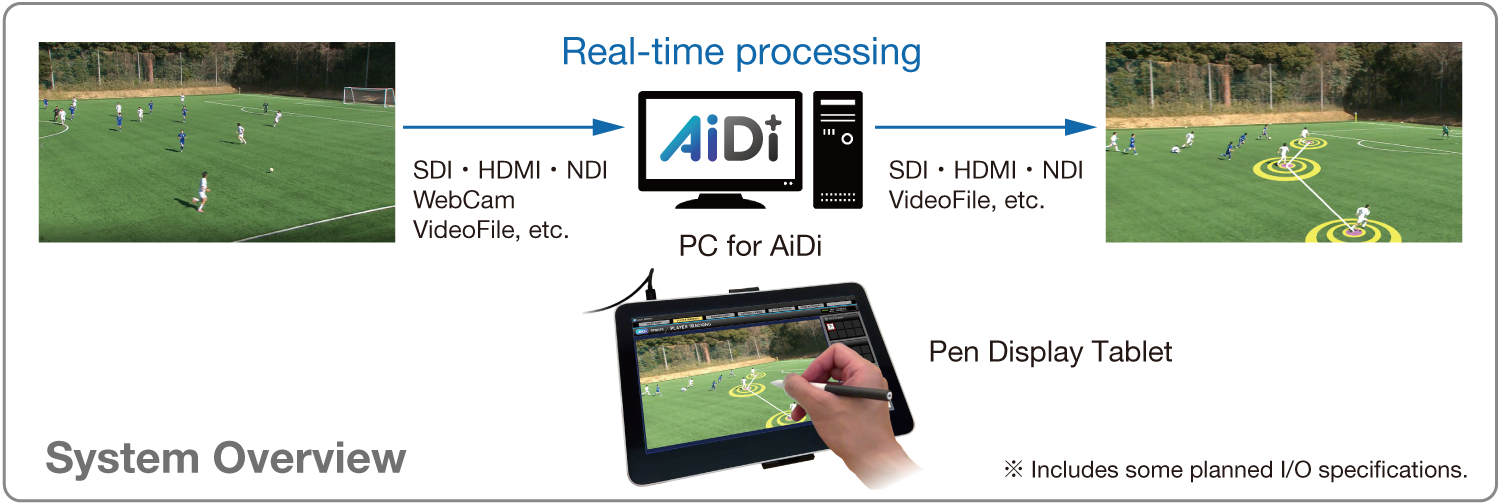
Features
✅No internet connection is required for AiDi.
✅Process input sources in real time
✅Standalone system
✅Analysis can be output as a graphic, enhancing visual representation.
Base & Options
AiDi Sports Hub (Base) for all sports
2D Video
PenBrush: Draw freehand lines on the screen
Arrow: Draw arrowed lines on the screen
Number: Display circled numbers on the screen
Soccer/Football options
2.5D Ground Drawing
Brush: Draw freehand lines on the screen
Arrow: Draw arrowed lines on the screen
Player Track: Displays a circular or rectangular marker at the player’s feet
Motion Data
Player Speed: Player speed display
Player Distance: Distance between players
Distance & Angle : Distance & angle display
Others
Face Tagging: Recognizes players from video and displays their profiles
Baseball options
2.5D Ground Drawing
Brush: Draw freehand lines on the screen
Arrow: Draw arrowed lines on the screen
Player Track: Displays a circular or rectangular marker at the player’s feet
Motion
DataPlayer Speed: Player speed display
Player Distance: Distance between players
Others
Face Tagging: Recognizes players from video and displays their profiles
Auto Score Graphics: Creating graphics from score data
Automatic Cropping option for All Sports
Real-time auto video cropping with face recognition
Pen Display Tablet GUI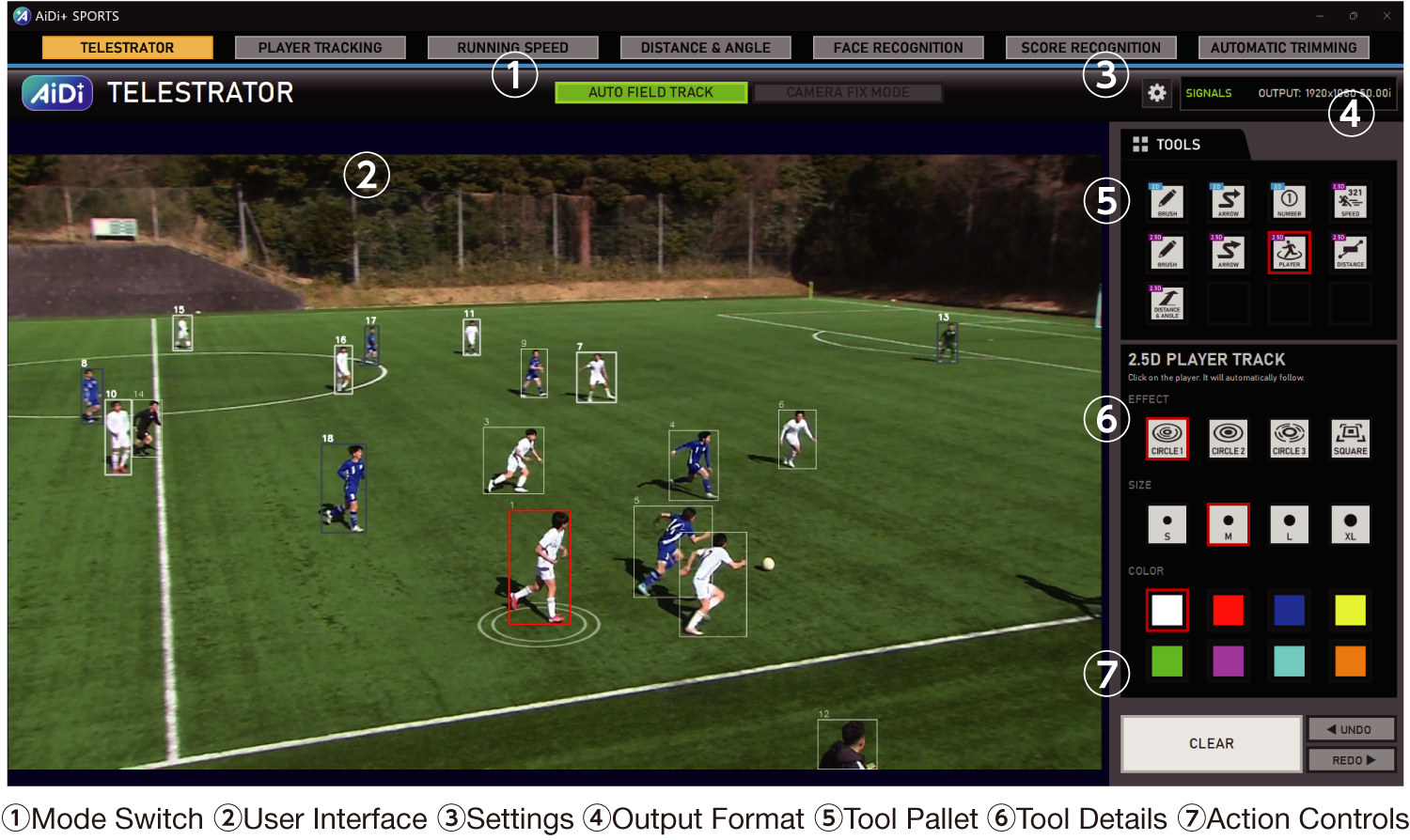
Base and Options List

*Product specifications are subject to change without notice.


